Get your peace back. Block unknown calls automatically.
Designed to be simple, ensuring safety and tranquility for your whole family. If they are not in your phone contacts, your phone won't ring.
100% Free
No paywalls or hidden fees
Zero Ads
No banners, pop-ups or videos
Ultra Lightweight
Only ~2.5 MB, minimal battery use
100% Offline
Contacts never leave your phone
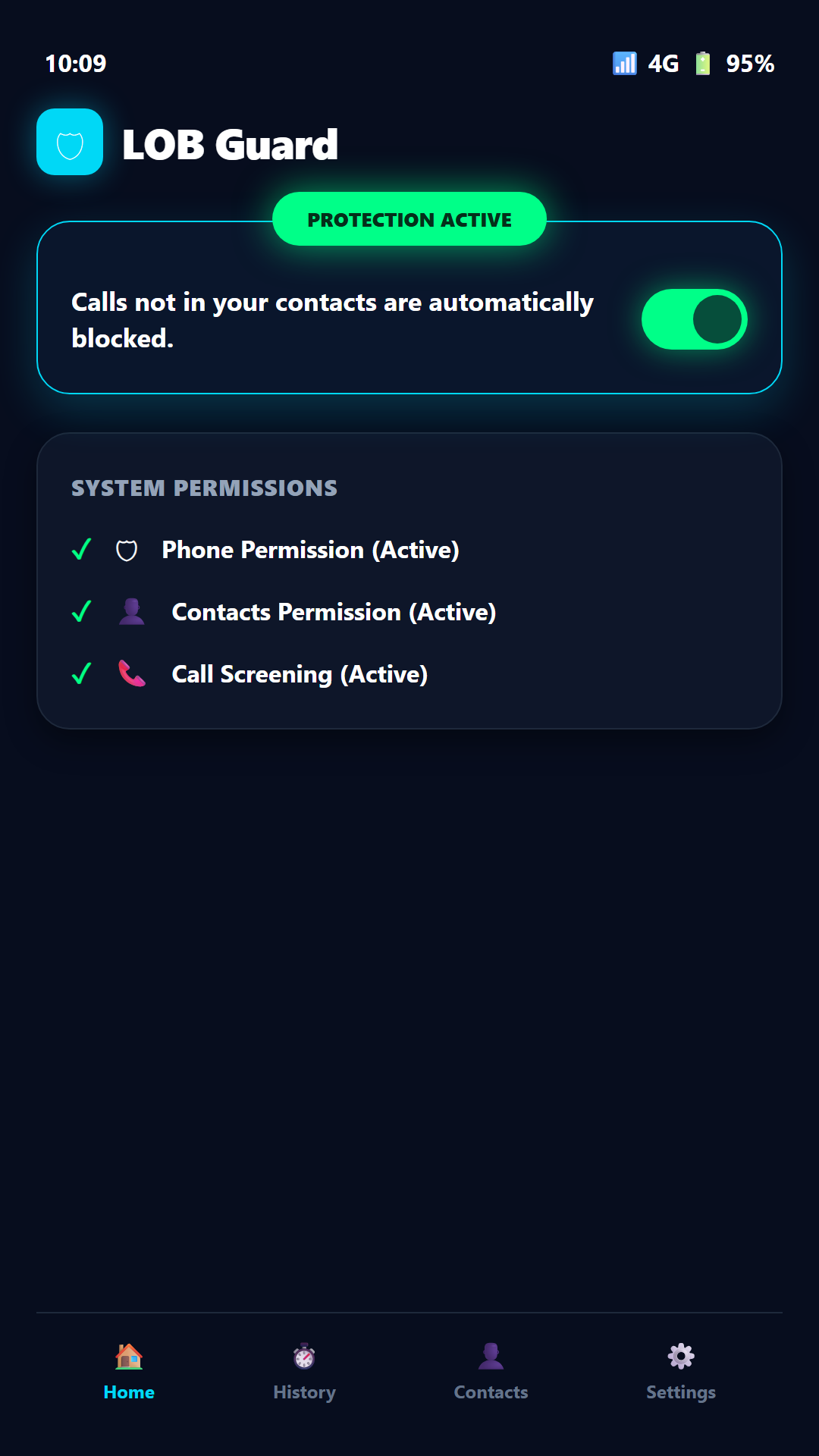
Active 24/7 Protection
No strangers will disturb you
Built to Protect, With No Gimmicks
While other apps charge subscriptions or bombard your screen with ads, LOB Guard was created with complete respect for your privacy and peace.
100% Free
No 7-day trial traps, no artificial limits, and no surprises. Enjoy all protection features completely free of charge.
- Zero subscriptions or recurring charges
- No hidden in-app purchases
- Unlimited access to all features
Completely Ad-Free
You will never see an ad in LOB Guard. No flashing banners, no annoying pop-ups, and no video ads interrupting you.
- Zero display ads or banners
- No mandatory promo videos
- 100% focus on your security and calm
Ultra Lightweight & Efficient
Weighs under 3 MB and downloads in seconds. Runs smoothly on any Android phone without overheating or hogging memory.
- Uses virtually zero battery
- Takes up almost no storage space
- Lightning-fast native Android integration
Total Peace of Mind for You and Your Family
Engineered for maximum simplicity so anyone can set it up effortlessly in under a minute.
Stop Suspicious Calls
Automatically blocks unknown numbers, bank impersonation scams, aggressive telemarketers, and spam robocalls before your phone even vibrates.
Family Protection
Prevent your parents, grandparents, and children from falling victim to phone scams, fake kidnappings, or deceptive call centers.
100% Silent Rejection
Unauthorized calls are discreetly screened and rejected by the Android system. You only talk to people you actually know.
How It Works in 3 Easy Steps
Fast setup in under 1 minute. No confusing menus. LOB Guard works silently in the background.
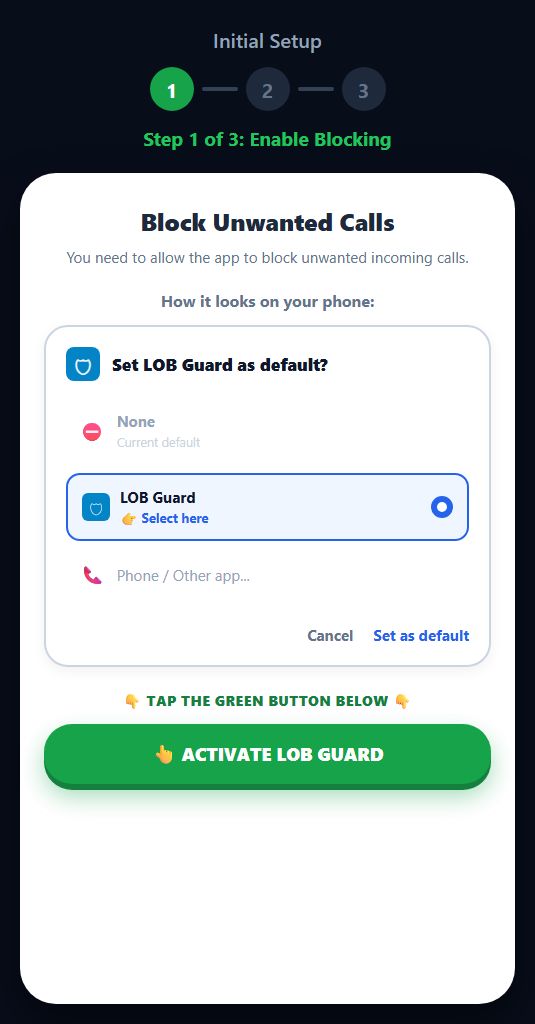
Activate & Set as Default
Open the app, tap "ACTIVATE LOB GUARD", and select LOB Guard as your phone's default call screening app.
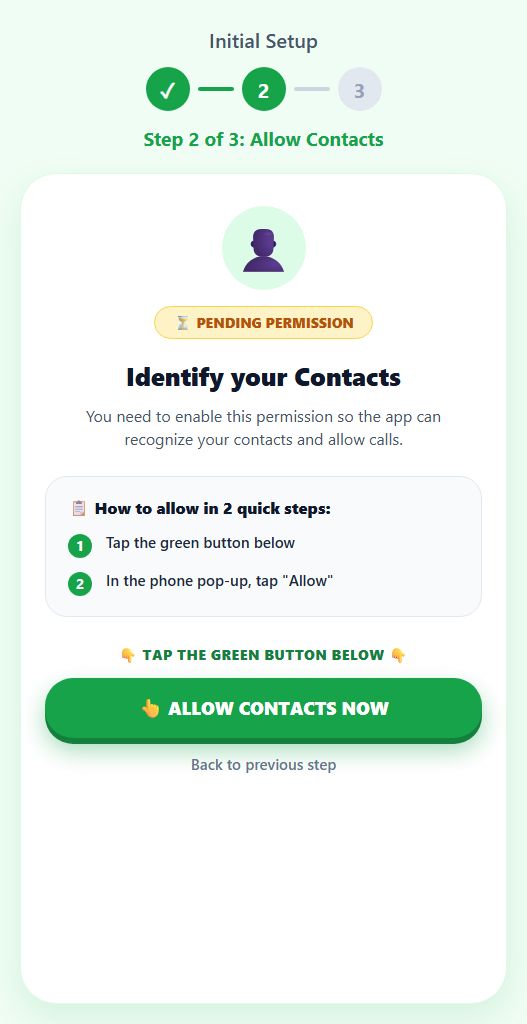
Allow Contacts Access
Tap the green button "ALLOW CONTACTS NOW" and confirm "Allow". The app only reads your local address book so family and friends can ring your phone.
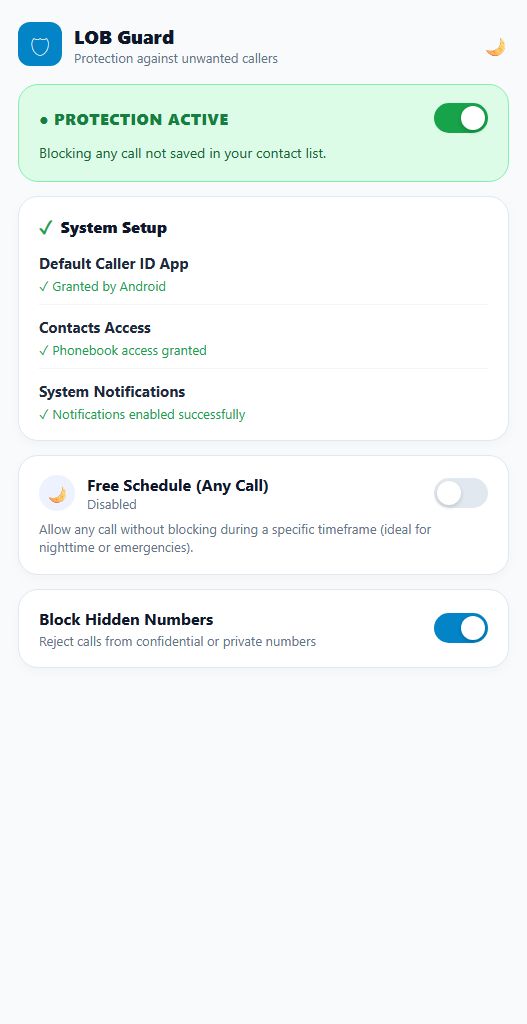
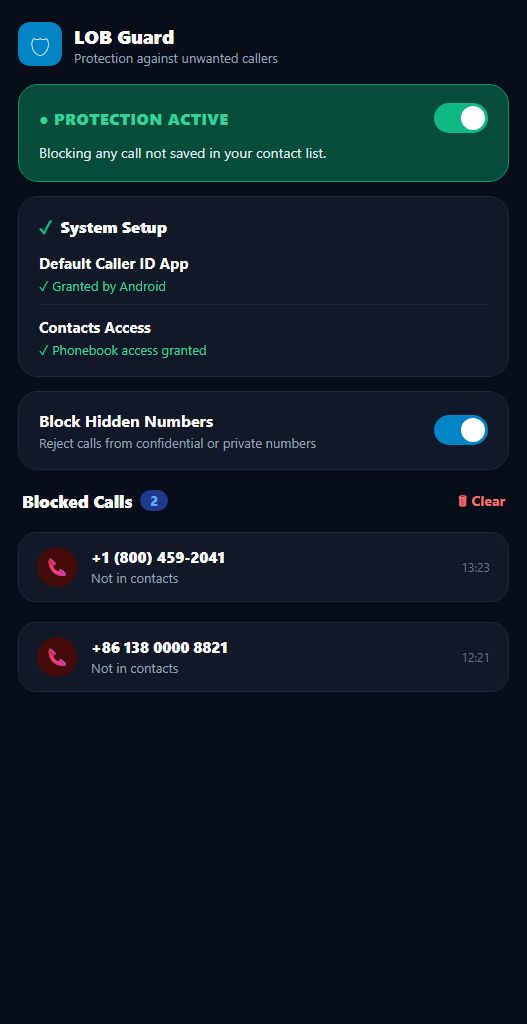
All Set! Active 24/7 Protection
You're all set! The green shield indicates you are 100% protected. Choose between Light or Dark theme and enjoy peace from unwanted calls.
Why are we different from other blockers?
Most blocking apps upload your contacts to remote cloud servers and monetize your data. LOB Guard does the opposite:
- Everything runs 100% locally on your phone.
- Zero phone numbers or names are sent across the internet.
- No account registration, no login, and no email required.
- Full compliance with Google Play Developer Privacy Policies.
Frequently Asked Questions
Everything you need to know about how LOB Guard keeps you safe.
Yes, absolutely! Anyone saved in your phone's address book will call and connect with you normally.
LOB Guard includes a convenient 'Free Schedule' mode and a 1-tap pause toggle. You can temporarily pause blocking whenever you wish.
Never. LOB Guard has no external cloud databases and operates completely offline to guarantee absolute user privacy.
Yes, exactly! We do not charge subscriptions, have no paid versions, and display zero ads. We built this app to be the cleanest, safest blocker available.
Extremely lightweight! The app weighs only ~2.5 MB, downloads in seconds, and does not load memory. It utilizes the native Android CallScreeningService API, consuming virtually zero battery.
Regain peace of mind on your phone today
Protect yourself and your loved ones from phone scams and daily nuisance calls.